$900/month
If you are new to Amazon ads, or your campaigns have been running for a while without much to show for them, the problem is usually structure, not effort. Our $900/month PPC service rebuilds and runs your Sponsored Products, Sponsored Brands, and Sponsored Display campaigns: wasted spend gets cut, bids follow your real click costs, and every month you see what your budget produced, in plain English.
What’s Included
- Full campaign build or rebuild: structure, keywords, and targeting
- Weekly bid and budget optimization
- Negative keyword mining to stop wasted spend
- Sponsored Products, Sponsored Brands, and Sponsored Display
- Search term harvesting: turning converting queries into exact targets
- Monthly report: spend, sales, ACoS, TACoS — in plain English
How we manage your ads
Every account follows the same five-step system, whether you launched last month or your campaigns have been running for years and drifting.
- Step 1, Structure rebuild: We rebuild scattered campaigns into a clean structure, moving budget from broad automatic campaigns into controlled manual ones, so every keyword and product target has a job and a budget of its own.
- Step 2, Harvest and negate loop: Each week we read your search term report. Queries that actually bought something are promoted into exact match targets, and the rest are added as negatives, so you stop paying for clicks that never convert.
- Step 3, Bids set by match type: Bids come from your own click data, not Amazon defaults. As a starting point, exact match bids sit near 1.2 times your recent average cost per click, phrase bids near 90 percent of the exact bid, and broad bids near 70 percent of the phrase bid. From there, your account’s results move them.
- Step 4, Placement focus: Top of Search behaves differently from product pages and the rest of search, so we review each placement on its own numbers and shift budget and bid adjustments toward the placements that produce orders for your products.
- Step 5, Weekly work, monthly review: Bids, budgets, and search terms are worked every week. Once a month we step back and review the structure itself: what each campaign is for, what it costs, and whether it still earns its budget.
Defensive Campaigns: Protect Your Own Demand
Three campaign types run inside every structure we build.
- Brand protection campaigns advertise your own brand name, so a competitor cannot buy the top spot on your own search.
- ASIN protection targets your own product pages, keeping rival ads from taking the space on your listing.
- Competitor targeting does the reverse: your products appear on selected competitor pages, priced and reviewed well enough to earn the comparison.
New sellers can lose sales on their own brand terms without ever knowing it. These campaigns are the cheap insurance against that.
Launching a New Product?
Launch ads need patience more than budget. A high ACoS in week one usually means your campaigns are still collecting data, not that they are failing. Here is the timeline we work to:
- Week 1: data collection. Campaigns launch, search terms and click costs come in, and nothing gets panic-cut.
- Week 2: optimization begins. Converting queries move into exact match campaigns, and obvious waste gets negated.
- Week 3: cut wasted spend. Budget shifts away from the terms and targets that have spent without producing orders.
- Week 4: scale what works. The keywords that are making money get more budget and more bid room, one measured change at a time.
Starting from zero? Our Product Launch Package bundles listing setup with this same PPC timeline, so the listing and the ads are built together instead of one waiting on the other.
Six mistakes that quietly waste ad budget
Most struggling accounts we audit are making at least two of these. Check your own campaigns against the list.
- The same bid on every keyword. One flat bid treats your best keyword and your worst keyword as equals. The fix: set bids keyword by keyword, by match type, from your real cost per click.
- Ignoring the search term report. The report shows what shoppers actually typed before clicking your ads. The fix: read it weekly. Your wasted spend and your best new keywords are both in there.
- Running ads on a weak listing. Ads buy traffic, not conversions. The fix: if the listing does not convert the clicks it already gets, fix the listing before raising the ad budget. The checklist in the next section is the one we use.
- Forgetting negative keywords. A campaign set up once and never negated keeps paying for searches that never buy. The fix: negate non-buying queries on a weekly schedule, not once at setup.
- Judging everything by ACoS alone. ACoS ignores your margin and your organic sales. The fix: watch TACoS against your margin as well, because a tidy ACoS on a product with no margin still loses money.
- Cutting bids just to lower ACoS. The fastest way to lower ACoS is to stop advertising, and it works about as well as it sounds. The fix: cut wasted spend first. Blunt bid cuts usually cut your sales along with your costs.
If two or more of these look familiar, start with a free PPC audit. We will show you where your account stands and what we would fix first.
Before we spend a dollar on ads
Ads amplify a listing. They do not repair one. Before campaigns launch or scale, we check five things:
- Listing and images ready: Your title, bullets, and images have to convert the click you are paying for. A weak main image makes every click cost more than it should, because fewer of those clicks turn into orders.
- Price competitive: Shoppers see your price next to the listings beside you in search. When a price sits well above the market, the ads look broken when the offer is the real problem.
- Review base started: Shoppers hesitate on products with almost no reviews, so early ad clicks convert poorly until a base exists. We point you to permitted ways to build one, such as Amazon Vine, before asking ads to do the heavy lifting.
- Inventory in stock: Running out of stock stops your campaigns and your ranking momentum along with them. Ads should never push a product you cannot ship.
- Buy Box healthy: If you are not winning the Buy Box, your ad clicks can hand the sale to another seller on your own listing.
Some accounts are not ready, and we say so. If your listing needs work first, we will tell you before taking ad budget. Start with Listing Optimization or the $69 Amazon Audit, fix what shoppers see, and then advertise.
Who It’s For
Sellers with ACoS above their breakeven, anyone “managing” ads in spare time, and brands launching products that need visibility fast.
How It Works
- Account audit — we find where your ad spend leaks.
- Campaign rebuild — clean structure from day one.
- Weekly optimization — bids, keywords, and budgets tuned continuously.
- Monthly review — you see exactly what the spend produced.
Your monthly report reads like a short letter, not a data dump. It covers four things: what you spent, what that spend produced in sales, the one decision that mattered most that month and why we made it, and what we plan to do next. ACoS and TACoS are in there, in plain English, next to your margin, so you can see whether the ads are making money or just making sales.
Sponsored Brands Video, Built Into the Structure
Video is not a big-brand extra anymore. We build short Sponsored Brands Video ads with Amazon’s own Creative Video Builder, which is free to use, and run them on your top keywords. The product and the main point land in the first seconds, before any logo or intro, because shoppers decide fast and many watch with the sound off. For a new seller, that is a video presence inside search results without a production budget.
Here’s What Happens When You Start
- First 7 Days — Your account tells us the truth. We audit your search terms, bids, and wasted spend before we change anything that is working.
- Days 8-14 — We rebuild your campaign structure and move budget off the clicks that never buy.
- Day 15+ — Weekly optimization takes over, and your first monthly report shows the ACoS moving in the right direction.
Ready to Stop Wasting Ad Spend on Clicks That Don’t Convert?
See exactly where your ad dollars are going, and what we would fix first.
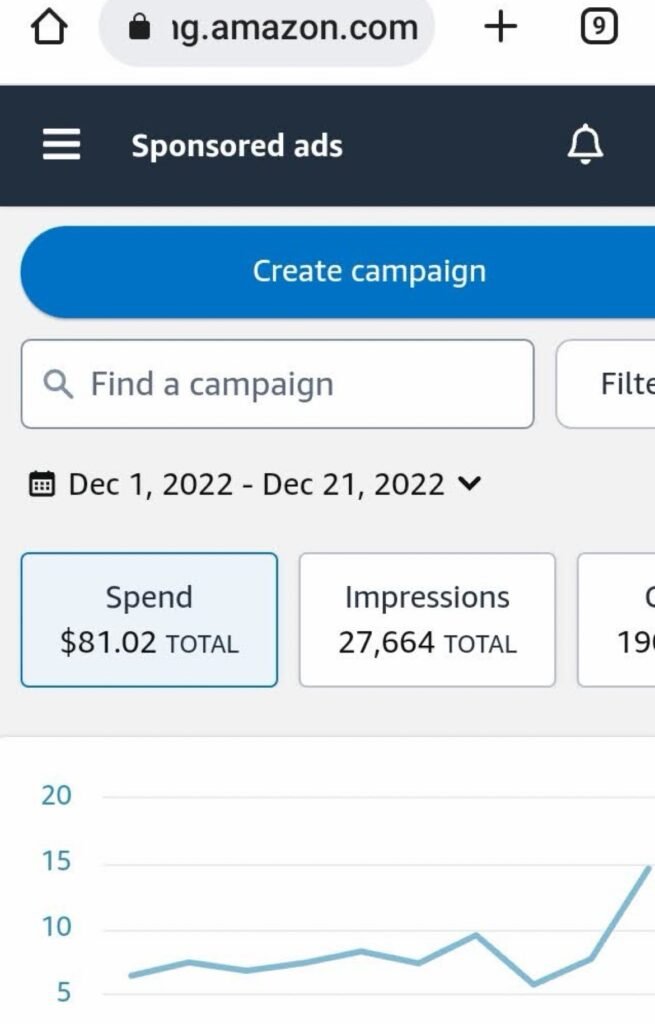
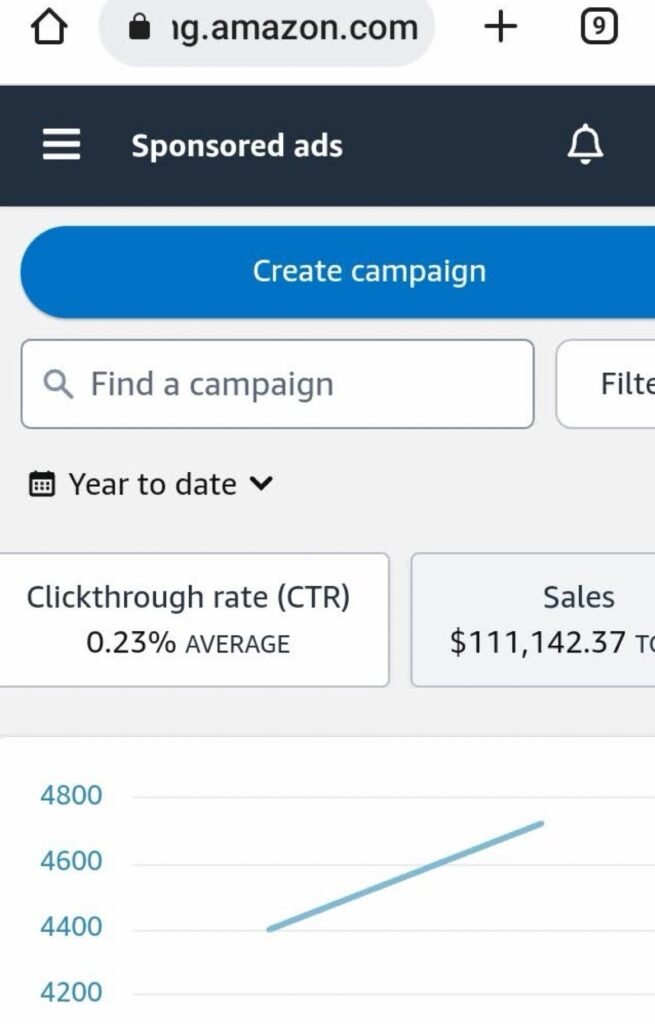
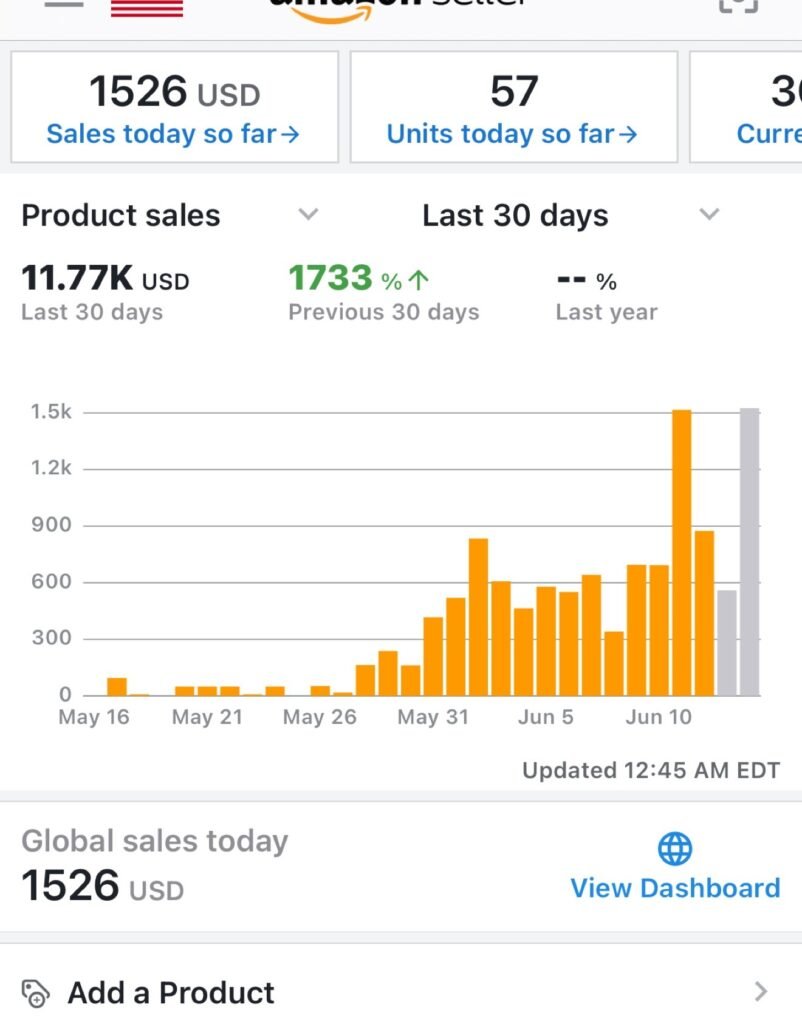
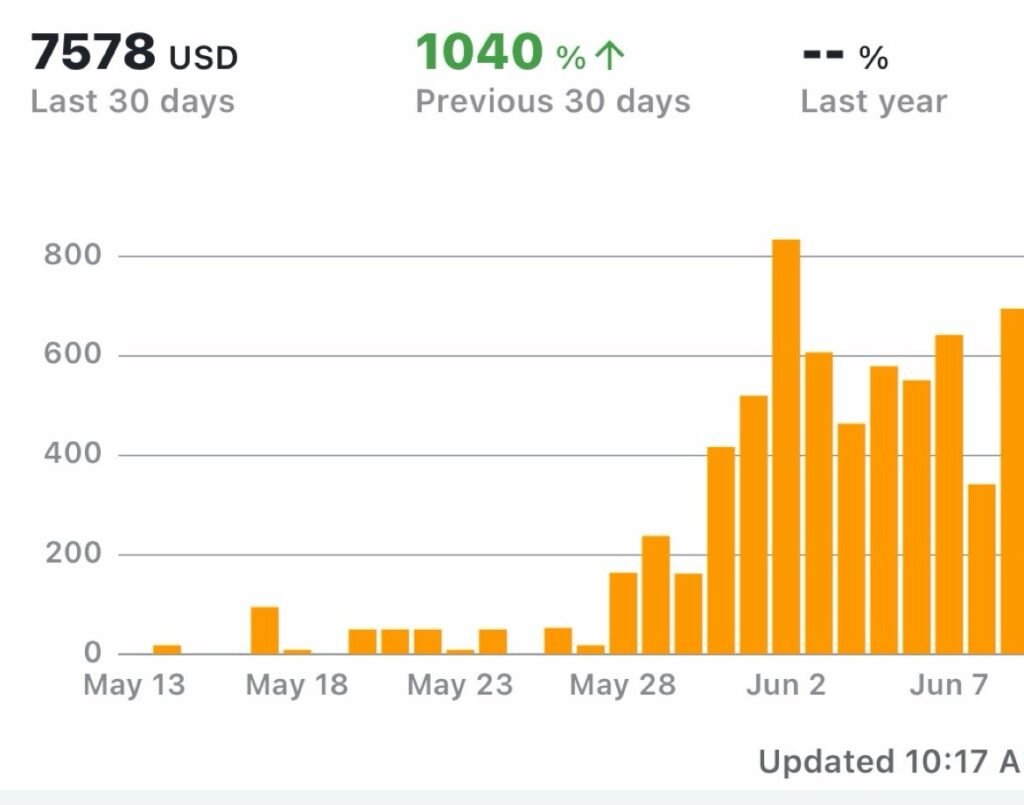
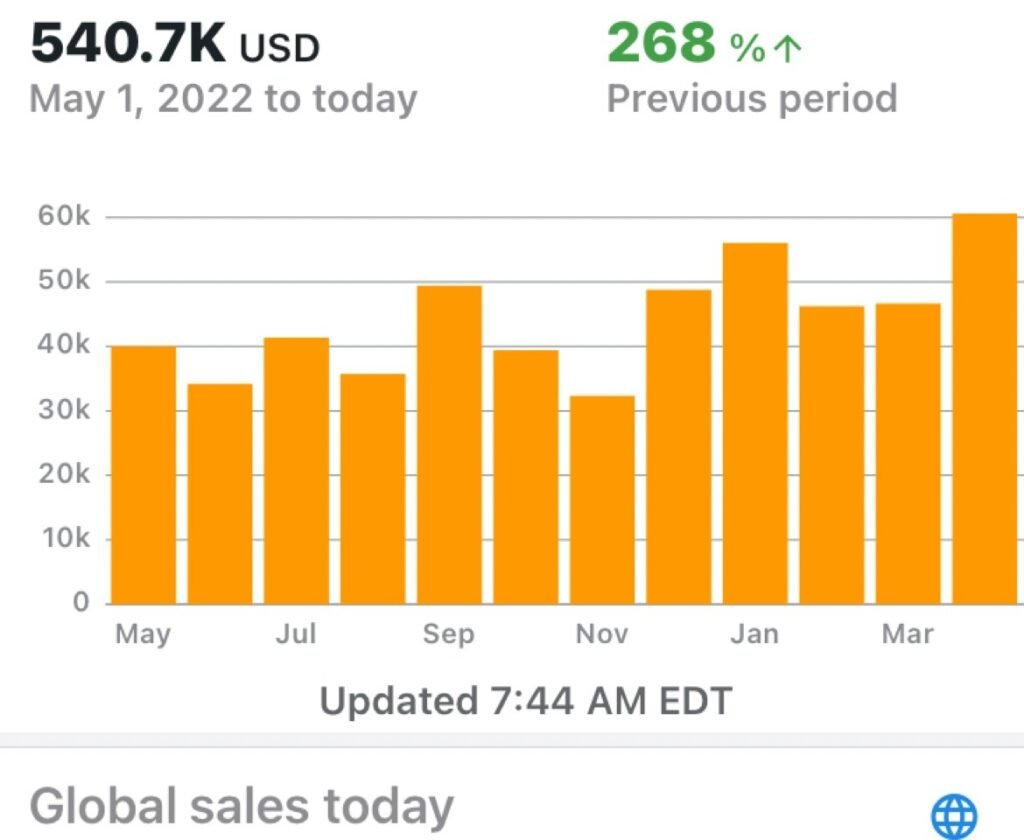
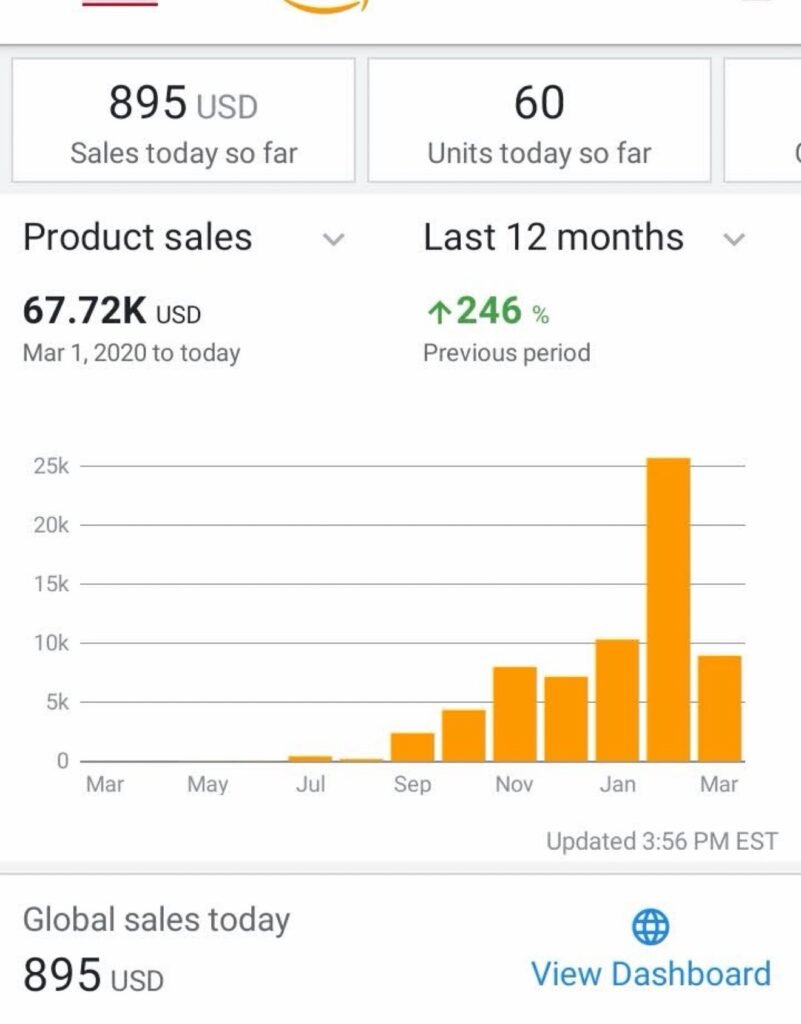
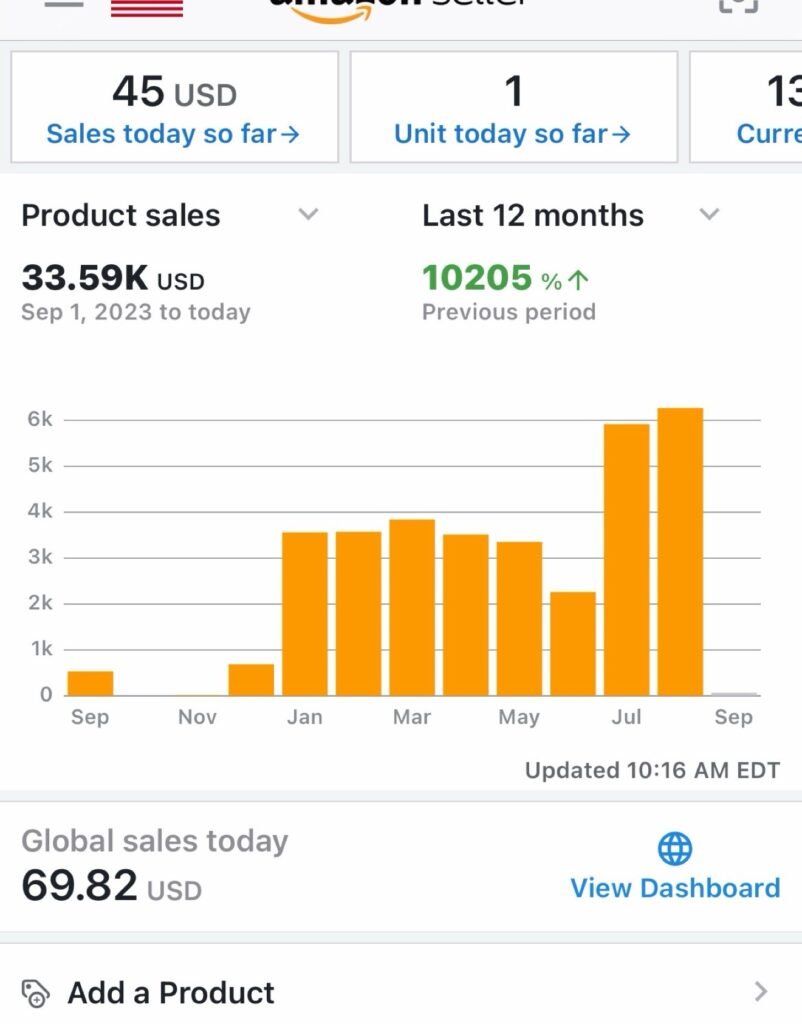
Real Results From Our Clients
New product launch
Launches, where the first weeks buy data before they buy profit.
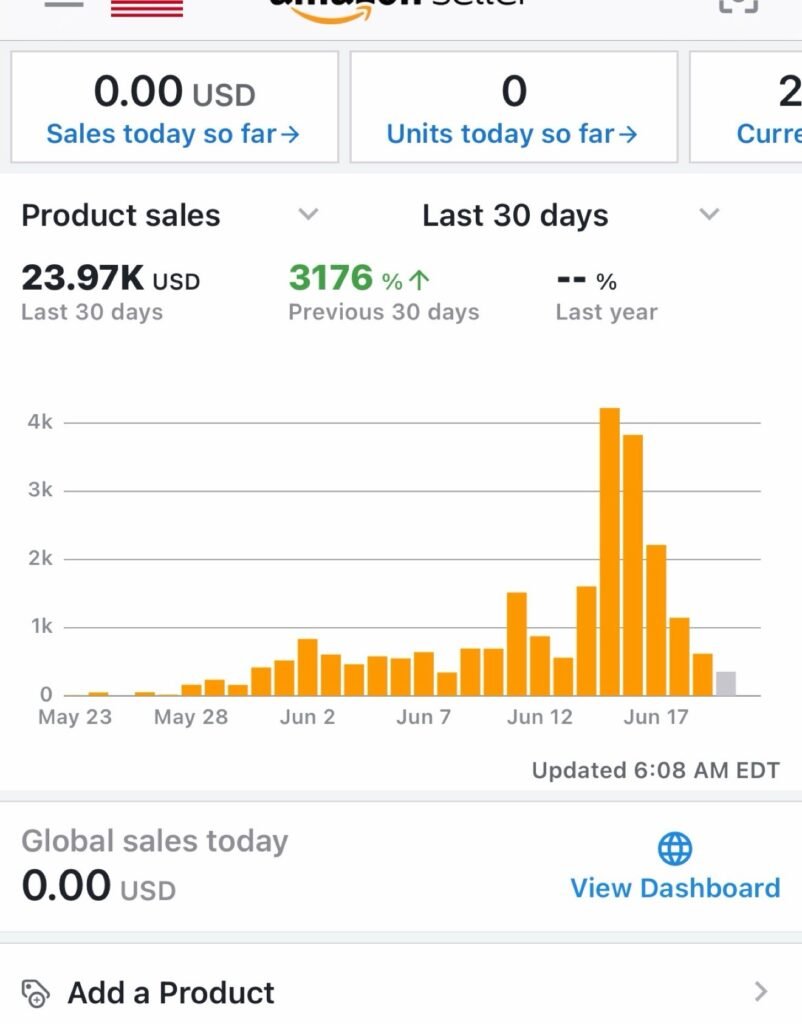
Steady growth
Long-running accounts, where the monthly rhythm compounds.
Frequently Asked Questions
Why is my ACoS so high?
Usually one of four reasons: bids set the same on every keyword, budget spread across too many targets for any of them to gather useful data, clicks coming from search terms that never buy, or a listing that gets clicks but does not convert them. ACoS is a symptom, not the cause. The first job of the free PPC audit is finding which of these is yours.
Should I run automatic or manual campaigns?
Both, with different jobs. Automatic campaigns are good scouts: they find search terms you would not have guessed. Manual campaigns are where control lives: exact keywords, deliberate bids, and negative keywords to shut off waste. We use automatic campaigns for discovery and structured manual campaigns for the budget that has to perform.
How long does PPC take to become profitable?
There is no fixed date, and anyone who gives you one is guessing. New campaigns need a data period first, usually two to four weeks, before bids and budgets can be set with confidence. Profitability also depends on your margin: ads stay sustainable while your total ad cost stays below the margin on the product.
What is the difference between ACoS and TACoS?
ACoS measures ad spend against ad-attributed sales only. TACoS measures ad spend against all of your sales, ads and organic together. ACoS tells you how efficient the ads are. TACoS tells you whether advertising is growing the whole account or just renting sales you would have made anyway.
Do you work on my listing too, or only ads?
This service manages the ads. Ads cannot fix a weak listing, though, so if your title, images, or price are holding conversion back, we will flag it plainly rather than spend around it. Listing work itself sits in our Listing Optimization service, and the $69 Amazon Audit is the low-cost way to find out where your listing stands.
What reports do I get, and how often?
One plain-English report every month: what you spent, what it produced, the decision that mattered most, and what happens next, with ACoS and TACoS set next to your margin. The weekly optimization work happens in your account every week whether or not a report lands that week. The monthly report is where you see the full picture in one place.
How much ad budget do I need to start?
Enough to buy data. A small budget spread across dozens of keywords buys a few clicks on each and proves nothing, so we concentrate spend on the keywords that matter until each one shows whether it converts. The right figure comes from your product margin and your real cost per click, and we set it with you after the free PPC audit, before any campaign launches.
What happens in the first month?
Week one is the audit and the rebuild: structure, keywords, and targeting set cleanly. Weeks two and three run the harvest loop: search terms reviewed, winners promoted to exact match, waste negated, bids set by match type. By week four the account settles into its rhythm: weekly optimization, then your first monthly report showing what the spend produced.
Do you require a long contract?
No. The service is month to month at $900/month, with no long-term contract.
Can you guarantee a lower ACoS?
No, and be careful with any agency that says it can. ACoS depends on your margin, your listing, your competition, and what shoppers do, and no manager controls all four. What we commit to is the work: clean structure, bids set from your real data, wasted spend cut on a weekly cycle, and reporting honest enough that you can judge the service on the numbers every month.
Ads should make money, not eat it.
$900/month, no long-term contract. Start with a free PPC audit.
Take Control of Your Amazon Ads
Stop paying for clicks that don’t convert. Start your PPC with a free audit and let us show you what your ad spend could do.